Tip Tuesday: Make Lightroom Images Look Right on the Web
In the File Settings section of the Export dialog (Command-Shift-E [PC: Ctrl-Shift-E]), you get to...
Read More

In the File Settings section of the Export dialog (Command-Shift-E [PC: Ctrl-Shift-E]), you get to...
Read More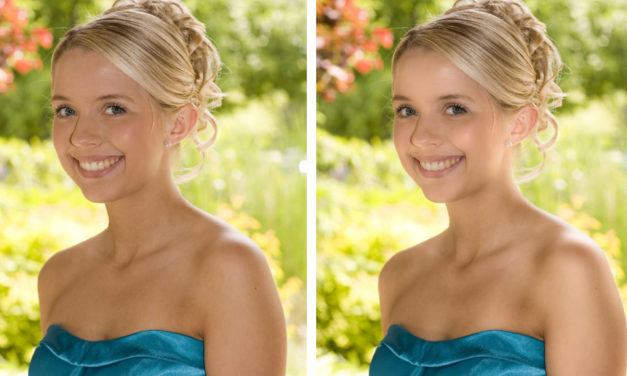
A soft glamour glow effect is incredibly useful when clients want to feel a little old-school Hollywood (think boudoir, wedding, and high school photography). In this column, you’ll learn how to use one of Photoshop’s oldest filters to quickly produce a soft and ethereal portrait effect that’s sure to please brides, prom queens, and princesses of any kind.
Read More In Lightroom Classic, there’s a version of Develop module’s Basic panel right within the Library...
Read More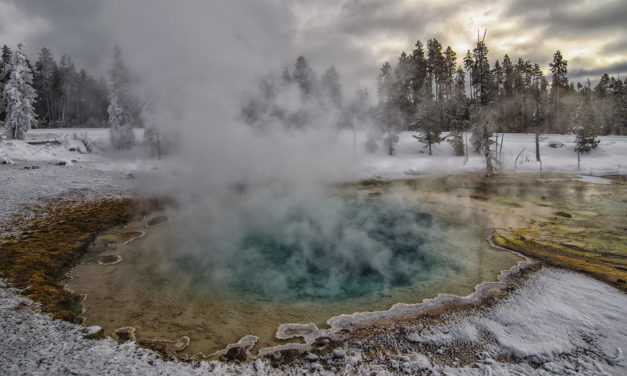
We’re amazingly fortunate to wander our planet with our cameras in hand to bring back to others the wonders that we witness. It’s a very passionate affair, which greatly influences how we see and make our photographs. We all know the process we go through to bring back our stories in our photos, and we’ve all experienced the moment when showing our photos to others that we’ve said, “This doesn’t do the scene justice.”
Read More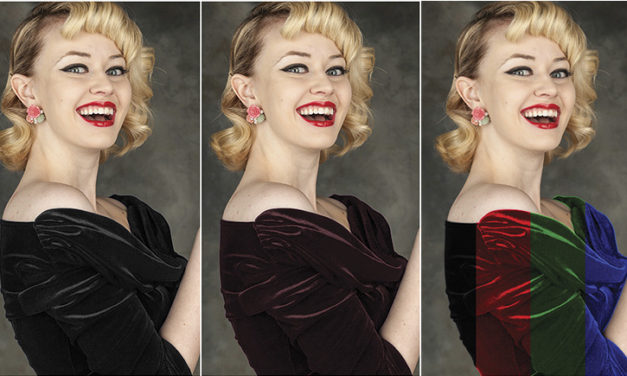
The most accurate method for changing the color of an object has been around since Photoshop 6 or so. It works great but is really slow when you have to make several different color versions of the same thing. Smart object color change is the fast and easy answer.
Read More