If you’ve ever wondered how to make your iPhone portraits look way more professional, Scott has a trick that most people don’t even realize is hiding right inside the Camera app. It’s been there for years, but nobody uses it—and the results are shockingly good once you know where to look. In this quick excerpt from iPhone Tips & Tricks, Scott walks you through the exact setting that instantly gives your portraits that studio-lit, soft-shadow, dimensional look.
Two Steps to Awesome Portraits
I’m telling you, this is bigger than you think. Has it been in the phone for a while? It has. Does anybody know it’s there? No, they don’t. But if you want to take the best, most professional-looking portraits you’ve ever shot with your iPhone, this is the trick.
First, two lighting tips—and the first one helps every portrait you take.
Number one: make darn sure your flash is off. Always. Never, ever, ever, ever, ever use the flash on the back of your camera. I don’t care what the situation is. Look up in the top-left corner and you’ll see the little flash icon—tap it until you see the international symbol for “no flash.”
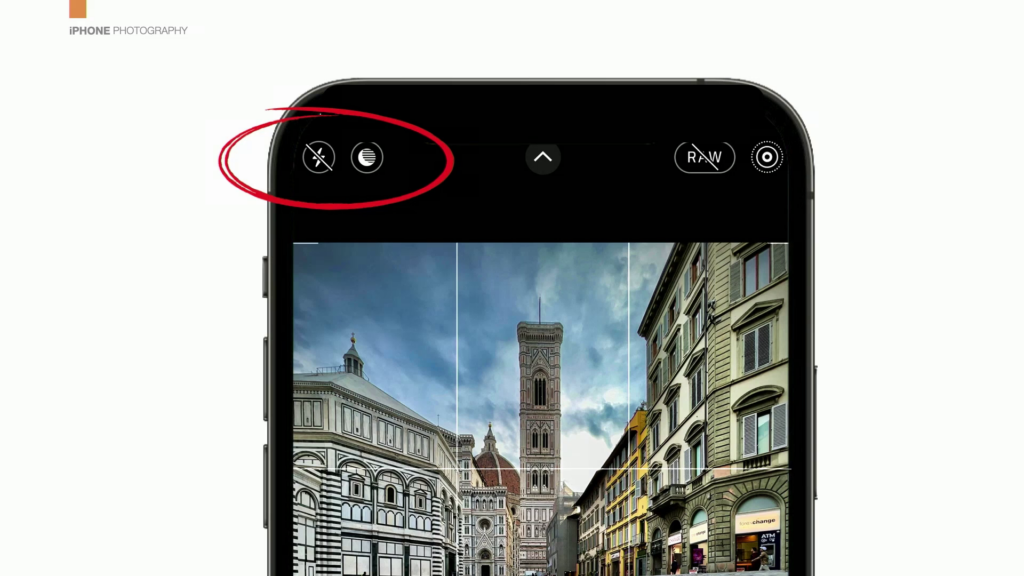
That’s not the big trick, but it’s baseline critical. If you’re using the flash, don’t ever use it again. Take a screwdriver and pop it out. No, I’m kidding—don’t really do that. That was an exaggeration for effect. Let’s keep going.
The Big One: Contour Light
Here’s the big one, guys. There’s a built-in 3D lighting technique that not only adds light to your subject, but adds nice light—like strobe-through-a-softbox nice. It adds contours to their face, creates real shadows and highlights, and makes your lighting look like a full studio setup while you’re just standing there with your phone.
All you have to do is turn it on.
Let me show you. You’re going to shoot in Portrait mode, then tap the little icon at the bottom—the one that looks like a 3D cube.
Tap and hold on it.
The default is Natural Light.
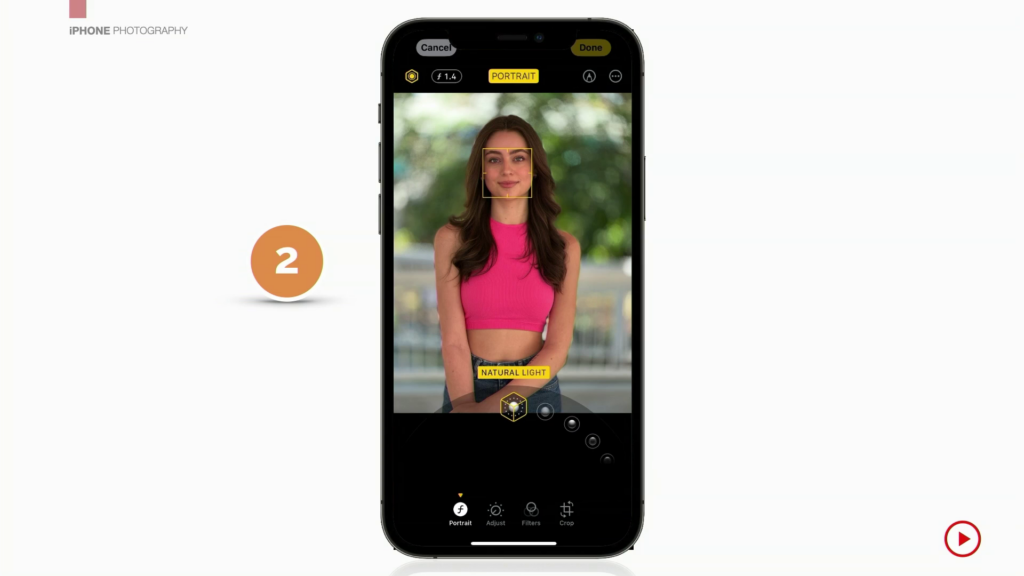
Swipe over and you’ll see Studio Light, which acts like a fill flash. Not bad—it adds fill light—but that’s still not the one.
The magic one is the next option: Contour Light.
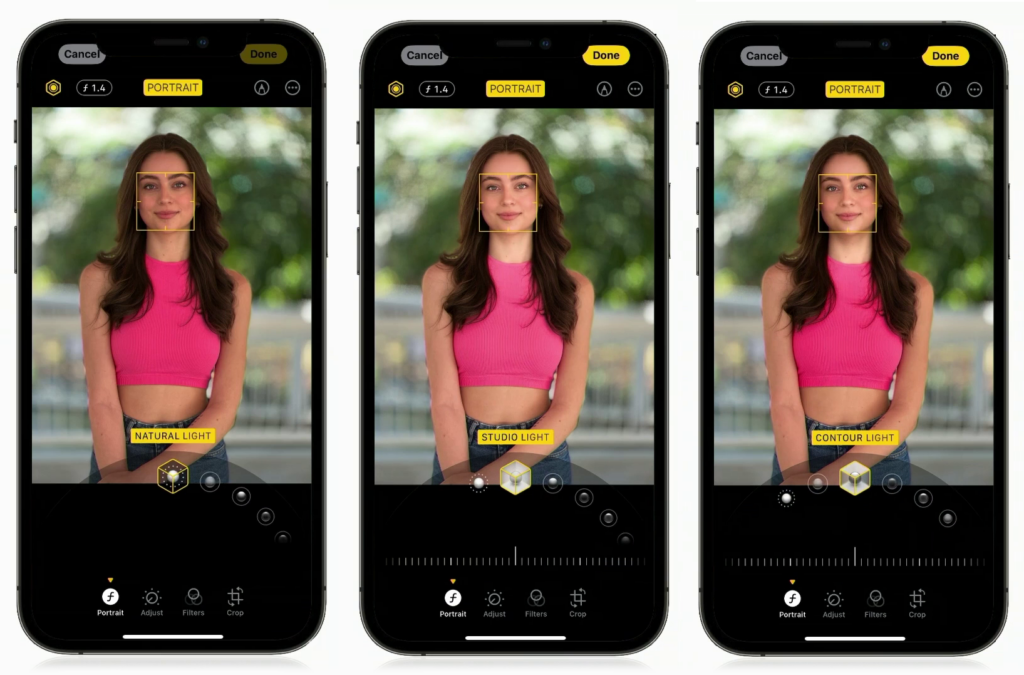
Contour Light actually adds shadows and highlights to the face. Look under her chin. Look at the side of her face. It’s literally sculpting light onto your subject using that little slider.
And look at the difference—it’s phenomenal. It brightens the face, adds depth, adds shape… it does everything you try to do with real studio lights.

So if you want to instantly make every portrait look better, here’s the move:
- Shoot in Portrait mode
- Switch to Contour Light
- Adjust the slider as needed
It brightens the face, adds just enough fill, and those shadows it adds? Oh man. That’s the good stuff.
Contour Light is king. It is the thing.
Gallery Worthy Images from the Camera In Your Pocket
If you want more than snapshots from your handiest camera, this is the conference for you. The iPhone Photography Conference returns March 9–11, 2026. Discover how today’s iPhone camera can create images with drama, style, and storytelling depth—all while keeping your photography fun and portable.